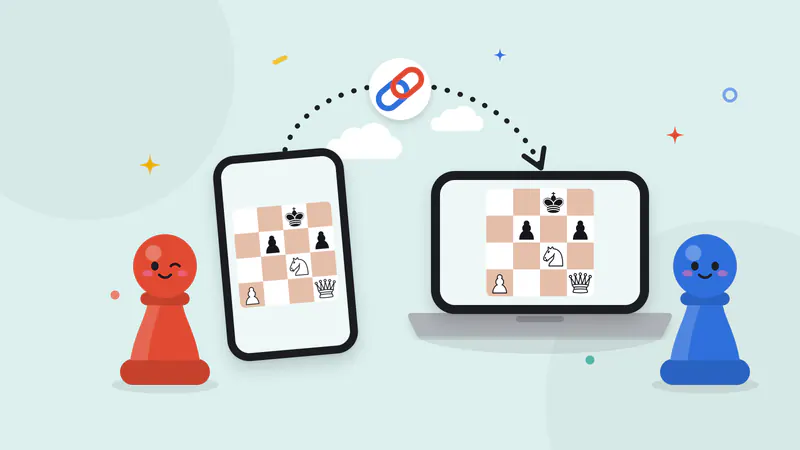
To play board games online with friends here, pick a game, start a free room and send your friends the link, a 6-character code or a QR code. Each friend opens it on their own phone, tablet or computer, types a name and takes a seat. There’s no account, no sign-up and nothing to download, and it works the same whether you’re across the table or across the country. Start from the online games page, or read on for how a room works and which games suit your group.
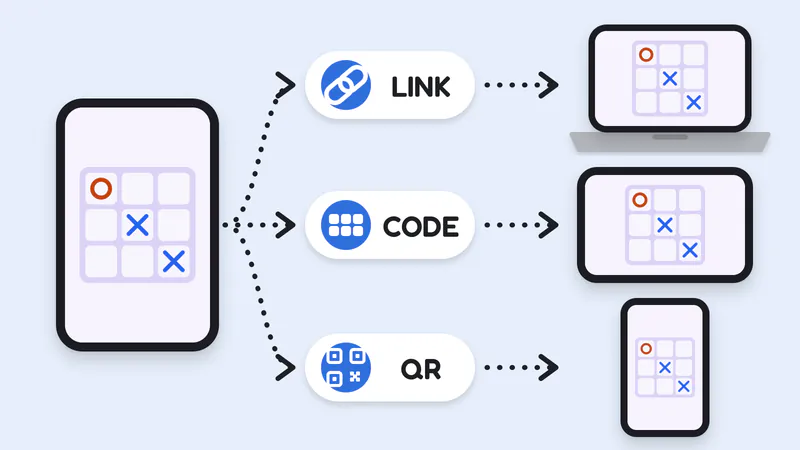
The host’s phone starts the room. Friends join by link, by code or by scanning the QR code, and every device shows the same game.
What’s new: the same games on separate screens
Pass and Play Games started with games for one shared device: take your turn, then pass the phone (what pass and play means). That still works. Now many of the same pass and play games also play online, so friends who aren’t in the room can join in: Chess, Ludo, Checkers, Backgammon, Chinese Checkers, Yacht dice, Truth or Dare, Draw and Guess and more.
The boards and rules are the ones you know from our one-device games. Our server checks every move before it reaches the other screens, so an illegal move can’t be played, and it rolls the dice, so every player sees the same roll at the same moment.
How an online room works
- Pick a game and create a room. Open the online games, choose one and tap Create a room.
- Share it. Send the link in a message or group chat, read the 6-character code out over a call, or let friends in the same room scan the QR code.
- Friends join with a name. No account, email or download. Rooms run in the browser on Android phones, iPhones, tablets and computers.
- The host sets up the game. In the lobby the host picks the game’s options, such as a chess clock, two or four Ludo tokens, or whether jumps are forced in Checkers, then taps Start.
- Play. Each move shows up on every screen. If a phone locks or loses signal, that player’s seat is kept.
- Rematch. When a game ends, the host can start another one in the same room, and the score carries over.
Rooms are private. Only people with your link or code can join: there’s no public lobby and no matchmaking with strangers.
Which games to play online with friends
Online rooms are for people only, with no computer players, so every room needs at least two of you. Here’s how the online games split by group size.
| Group | Games to play online | Players per room |
|---|---|---|
| Two | Chess, Checkers, Backgammon, Reversi, Mancala, Four in a Row, Gomoku, Tic-Tac-Toe, Ultimate Tic-Tac-Toe, Nine Men’s Morris, Royal Game of Ur, Sea Battle | 2 |
| Three or four | Ludo, Dots and Boxes, Shut the Box | 2 to 4 |
| Up to six | Chinese Checkers, Snakes and Ladders, Yacht dice, Hot Dice | 2 to 6 (Chinese Checkers: 2, 3, 4 or 6) |
| A whole group | Truth or Dare, Imposter, Draw and Guess | 2 to 12 (Imposter and Draw and Guess: 3 to 12) |
Two-player games on different devices
Each player thinks on their own screen, so strategy games suit online play. Play chess online with friends with or without a clock: the host picks None, 3+2, 5+0, 10+0 or 15+10, and the server keeps the time, so both screens show the same clock. In Checkers online, the host decides whether jumps are forced before the first move, which settles the usual “you had to jump” argument in advance. Backgammon works like a private table for two, with both dice rolled by the server.
Shorter duels make good series. Four in a Row, Reversi, Gomoku and Tic-Tac-Toe online with friends take a few minutes a game. For something deeper, try Ultimate Tic-Tac-Toe, Mancala, Nine Men’s Morris or the ancient race of the Royal Game of Ur. Sea Battle online is the one where each screen hides something: you both place your fleets at the same time, and a ship that hasn’t been sunk never reaches the other phone.
Three or four players
Play Ludo online with friends for the classic family race: two to four players, a die rolled by the server, and the option of two tokens each for a quicker game. Dots and Boxes online seats up to four on one shared grid, and in Shut the Box up to four players take turns at the same box while everyone watches the tiles go down.
Bigger groups and party nights
Chinese Checkers online fills the whole star with six players, which is hard to fit around one small screen. Snakes and Ladders online, Yacht dice and Hot Dice each take up to six, and since the server rolls, nobody can quietly roll again.
For a big video call, play Truth or Dare online with friends. It’s the party room: two to twelve players, each on their own phone. The host picks the Kids, Family or Friends decks, and the game chooses whose turn it is. Here’s a card from those decks to warm up the call:
Draw a truth or a dare for your call
Family deck
Truth
What game were you always good at as a kid?
Word and drawing games suit a call too, because each secret stays on its owner’s screen. In Imposter online, three to twelve players read their own card at the same moment and vote on their own phones, and the word never reaches the imposter’s phone. Draw and Guess online puts the artist’s drawing on every screen as it is made, starts the word as a row of blanks that fill in from half time, and lets the guessers type their guesses or say them out loud.
One device or online: which is better?
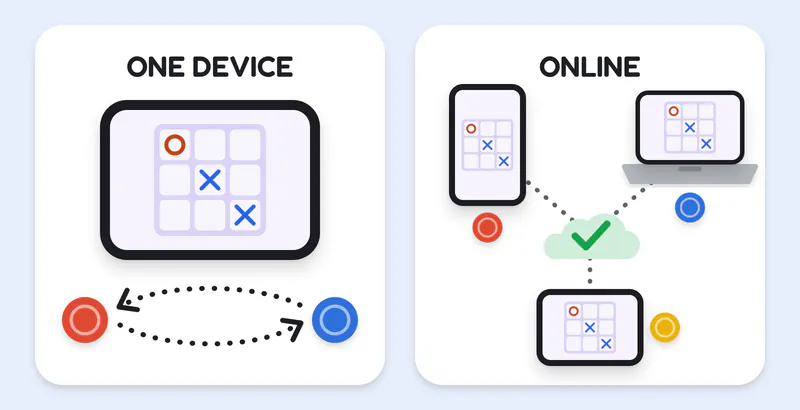
On one device, players share a screen and pass it. Online, each player has their own device, and the server checks every move.
Both use the same boards and rules, so it comes down to where everyone is.
One shared device is better when:
- You’re together and one phone or tablet is enough.
- There’s no internet. Online rooms need a connection on every device; the one-device games work offline after your first visit.
- You want a computer opponent, or computer players to fill empty seats. They’re on the one-device version of each game.
- You want undo for a mis-tap. Online moves can’t be taken back.
- You want your own Truth or Dare prompts. Custom prompts are a one-device feature.
Online is better when:
- Your friends are somewhere else: another house, another city, another country.
- The group is too big to pass one phone around quickly.
- Everyone wants their own screen, even in the same room. Show the QR code and let people scan it.
Tips for a long-distance game night
- Start a call alongside. Rooms have no chat, voice or video, so open a video or voice call in another app first. Hearing the groan when a Ludo token gets sent home is half the fun.
- Play a series, not one game. Rematches stay in the same room and the score carries over. In Chess and Checkers the colors swap for each rematch, and in Tic-Tac-Toe the first move passes to the other player, so a best of five stays fair.
- Know how to rejoin. If a phone locks or the signal drops, the seat is kept. Open the same link again on the same device and you’re back where you left off. Pin the link in your group chat so it’s easy to find.
- Agree on house rules before Start. The host’s lobby options are your house rules: an exact roll to finish in Snakes and Ladders, forced jumps in Checkers, the clock in Chess.
- Mind the time zones. If it’s late for someone, play a few quick rounds of Four in a Row or Tic-Tac-Toe instead of one long game of Chess.
- One game per room. To switch games, start a new room and share its link.
A Tic-Tac-Toe series between two careful players can end in draw after draw. The fork is how rounds get won:
Step through a fork
Step 1 of 4: X to move. X holds squares 1 and 5, and O has just blocked the 1-5-9 diagonal by taking 9.
Start a room
Pick a game on the online games page, send the link and play games online with friends wherever they are. Sitting together instead? Every game also works for pass and play on one device, and most board and dice games have a computer opponent for when you’re on your own.