Ludo on your own devices
Ludo is a game for 2 to 4, and online nobody waits for the phone to come round. Create a room, drop the link in your group chat, and each player joins from their own phone or computer with just a name. Our server rolls the die and every screen shows the same number. The host can choose 4 tokens each, or 2 for a quicker game, and auto-move, on by default, plays turns that have only one choice.
The rules are the ones you know: roll a 6 to bring a token out, capture a rival by landing on it, stay safe on start squares and stars, and race every token home. If someone’s phone locks or loses signal, their seat is held, and opening the link again on the same phone puts them straight back in the race.
Free for 2–4 players, each on your own phone, tablet or computer. Share a link or a 6-character code; nobody needs an account or a download.
How to play Ludo online with friends
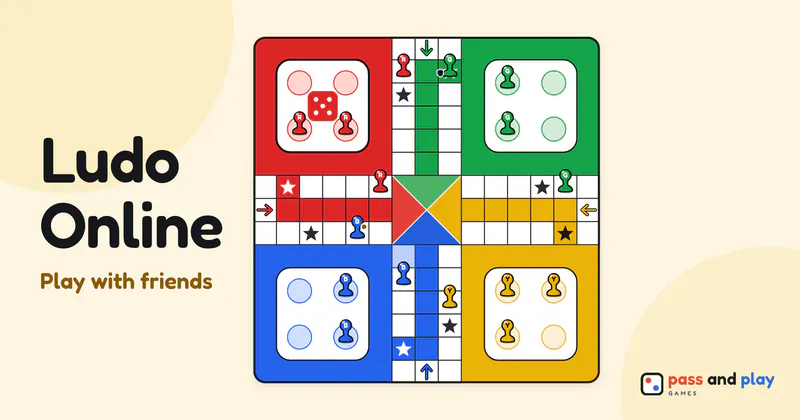
Whoever creates the room is the host and takes the Red corner. A Ludo multiplayer room opens with four seats, and friends fill them in the order they arrive. Four players get red, green, yellow and blue, clockwise round the board. Three players get red, green and yellow, and with two, Red and Yellow face each other from opposite corners, as on a printed board. The host can trim the table with Number of players, and a fifth person who opens the link joins as a watcher who sees every roll.
There is no “who goes first” setting. Red rolls first in a fresh room, and every rematch hands the first roll to the next seat, so a few games in, everyone has started once. The two options, tokens per player and auto-move, sit in the lobby where every phone can see them. Only the host can change them, and only before the race: a rematch keeps them as they were.
A Ludo race on separate phones
On your turn, the Roll button appears on your phone and nowhere else. Everyone else’s bar names you, as in “Maya: roll the die”, so nobody can roll for you or sneak in a second throw. Once the die lands, the tokens that can use it light up on your screen. Tap one and it hops round the board on every phone at once.
A 6, a capture or a token reaching home earns another roll, though a 6 that also captures still gives only one. A third 6 in a row costs the turn. With auto-move on, a turn with only one possible move plays itself a moment after the roll, which keeps a four-player game moving when most turns are forced. Each badge keeps a count of tokens home, such as 2/4, so you can see who is close without studying the board. The race ends the moment one player has every token home.
There is no turn timer in Ludo. A player who wanders off mid-turn simply holds up the table, and if their connection drops, everyone sees a note that their seat is kept. The host can hand that corner to someone who is watching, from the Room button, so the race goes on; after two minutes away, ending the game is there too. If the host’s own phone is gone for a minute, another connected player takes over as host and sees “You are the host now”.
Tips for Ludo with family in other cities
- Send the link before the evening starts. Put it in the family group chat early, so everyone has a seat before the host taps Start. A person who joins once the race is running can only watch.
- Keep a call going alongside. The room has no chat, and half the fun of online Ludo with friends is the shouting when a token gets sent home.
- Pick 2 tokens for a short game. Two players with two tokens each is the quickest race. Four players with four tokens is the long family evening.
- One phone per player, start to finish. A seat belongs to the phone and browser that took it, since there is no login. Someone who switches phones partway through comes back as a watcher, while their old seat waits for the first phone.
- Play a series. Rematch keeps the room and the score, and moves the first roll on each time.
The Ludo rules cover safe squares, the home column and the exact roll to reach home, and the beginner’s Ludo tutorial has ten tips for winning races. Sharing a single phone, or want computer players in the empty corners? Play Ludo on one device. Ludo grew out of a much older game from India, and the history of Ludo tells that story.
Rooms are private and close by themselves after the game; the server keeps a room’s names and moves only while it is open. See the privacy policy for the details.