Chinese Checkers on your own devices
Chinese checkers is made for a full star of players, and a full star is hard to fit round one small screen. In an online room up to 6 players each get the whole board on their own phone or computer, the server checks every hop and chain of jumps, and the host can pick 10 marbles each or 6 for a quicker game. Share one link with the group and start when everyone has a seat.
Free for 2, 3, 4 or 6 players, each on your own phone, tablet or computer. Share a link or a 6-character code; nobody needs an account or a download.
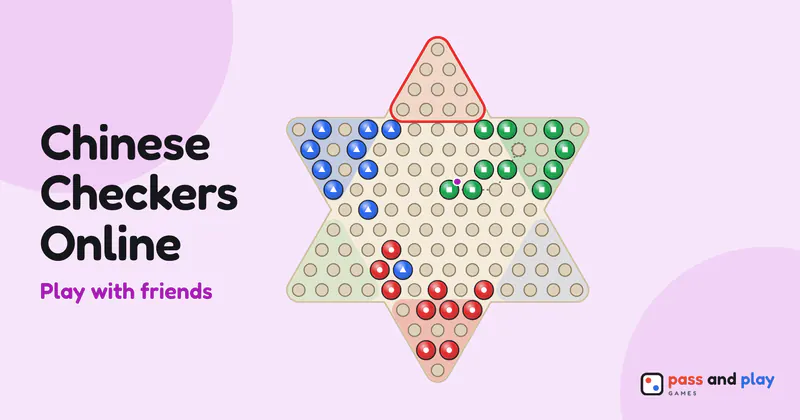
How to play Chinese checkers online with friends
A Chinese checkers room opens with two seats. The host sets Number of players to 2, 3, 4 or 6, and the setting skips 5 because the star can’t be shared fairly between five. Friends take the seats in the order they open the link. If five people sit down, Start stays off and the lobby says why: seat one more, or one fewer. One of the five can watch, or you can find a sixth.
Each seat has a fixed point of the star. Two players start at the bottom and the top. Three take every other point, so each goal starts empty. Four play as two facing pairs, and six fill the whole star. The first seat, which is the host’s unless the host moves, always starts at the bottom point, and the board is drawn the same way up on every phone, so everyone looks at the same star when they talk about it.
The host’s only game option is Marbles: 10 each, or 6 for a quick game. With two players there is also a Who goes first choice. Then the host taps Start.
A full star on separate screens
Online, tap twice to move starts switched on, even with a mouse, unless you turned it off on this device before. Tap one of your marbles and every hole it can reach lights up, then tap a hole: a ghost marble and its hop path show where it would go, and a second tap, or the Move button, plays it. On a star of 121 small holes, that second look saves a lot of grief, because a move online stays played. Anyone who prefers one tap can switch off Tap twice to move in the More menu, on their own device only.
Turns go clockwise round the star. Every hop plays out on every screen in turn, and each badge counts that player’s marbles already home, such as 7/10. A player with no legal move is passed over automatically. The game ends the moment one player fills their goal. Marbles from another player parked in your goal can’t stop you, since you win once your own marbles fill every goal hole they leave free. The result lists everyone’s marbles home.
Tips for Chinese checkers multiplayer with friends far away
- Six players? Pick 6 marbles. A full star with 10 marbles each makes a long game with a lot of waiting. Six each keeps the turns coming round.
- Talk on a call. The room has no messages of its own, and with four or six players there is a lot of “who moved that?” A call alongside, and the faint trail of the last move on the board, cover it.
- New to the game? Try three players. Each goal point starts empty with three, so nobody’s marbles have to wait for another player to clear out of the way.
- Rematch passes the first move on. With three or more, each rematch lets the next seat start, so everyone gets the opening move in turn.
The Chinese checkers rules explain the star, hops and how to win with any number of players, and the Chinese checkers strategy tutorial covers ladders, long hop chains and moving your back marbles. To fill empty points with computer players or share one screen, play Chinese Checkers on one device.
Rooms are private and close by themselves after the game; the server keeps a room’s names and moves only while it is open. See the privacy policy for the details.