Checkers on your own devices
Send one link and your friend is at the board on their own phone or computer, with nothing to install and no account to make. The host turns forced capture on or off in the lobby, both players see the setting, and the server applies it to every move, so the “you had to jump” argument is settled before it starts. Multi-jumps and kinging work as they do in our one-device checkers.
Free for 2 players, each on your own phone, tablet or computer. Share a link or a 6-character code; nobody needs an account or a download.
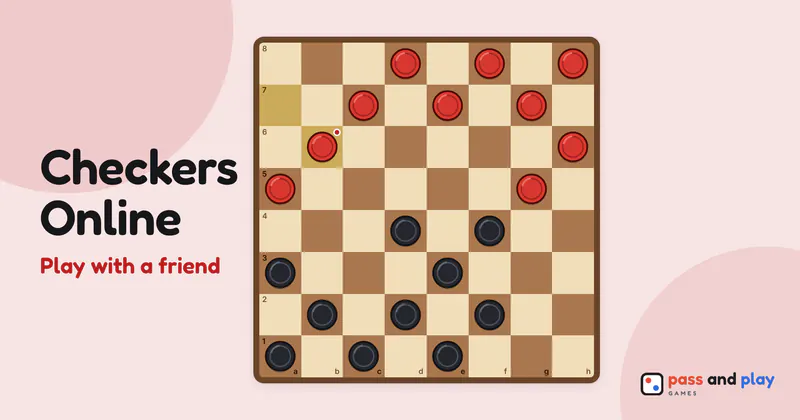
How to play checkers online with friends
The host creates the room and plays Black. The friend who opens the invite link sits at Red, and anyone else with the link can join to watch, which makes checkers multiplayer online as simple as sending a message. Black always moves first in checkers, so the lobby has no first-player choice. If your friend should open the next game, finish this one: every rematch swaps the colors.
Forced capture is the one option for checkers online. It starts switched on, as in standard American checkers, and the friend’s lobby shows it, locked, under “Options · set by the host”, so both of you know which rules apply before Black moves. Once Red has a name, the host taps Start.
Checkers on two screens
Each phone turns the board so your own pieces start at the bottom: Black on the host’s screen, Red on the friend’s, and Black at the bottom for watchers. You never have to read the board upside down, which matters in checkers, where everything moves diagonally toward the far row.
A multi-jump is one move, however many landings it takes. You tap each landing square in turn on your own screen, and your friend sees the whole jump play out once the last square is chosen, followed by the captured pieces fading and, if you reached the far row, the new king’s crown. A piece crowned in the middle of a jump stops there, as the rules say. The badges under each name count the pieces left and how many are kings, so a quick glance tells you who is ahead.
There is no resign button in checkers, so a game is played to the end, or the host restarts it. Restart and New setup are in the host’s Room sheet. A game that is going nowhere ends as a draw by itself: when the same position comes round for the third time with the same side to move, or after 40 moves each with no capture and no uncrowned piece moving. Kings chasing each other round an empty board won’t run forever.
If your friend’s phone locks or loses signal mid-game, their seat is held and the board waits. The page reconnects by itself as soon as they come back to the tab.
Tips for a checkers series by invite link
- Talk on a call or a message thread. There is nowhere to type inside the room, and a forced jump that costs two pieces is more fun with someone groaning on the other end.
- Agree on forced capture before the first game. Rematch keeps whatever the host chose. Changing it later means New setup, which takes everyone back to the lobby and starts the score from zero.
- Practice the tricky part on your own. Two-for-one shots are easier to spot after a few games against the computer on the one-device page, at the easy, medium or hard level.
- Post the result. After a game, Share result in the game-over screen makes a result card picture you can send to your group chat or save, which is handy when the friend who lost wants a rematch next week.
The checkers rules explain setup, jumps, kings and every way to win, and the beginner checkers tutorial covers openings, trades and the endgame. To share one screen, or to face the computer, play checkers on one device.
Rooms are private and close by themselves after the game; the server keeps a room’s names and moves only while it is open. See the privacy policy for the details.