Shut the Box on your own devices
Shut the Box is played in turns: roll two dice, flip down tiles that add up to the roll, and keep going until you can’t. Online, each player takes their turn on their own phone while everyone else sees the same dice and tiles, and the server adds up the tiles left open. The host picks tiles 1 to 9 or 1 to 12, and whether one die is allowed once 7, 8 and 9 are shut.
Free for 2–4 players, each on your own phone, tablet or computer. Share a link or a 6-character code; nobody needs an account or a download.
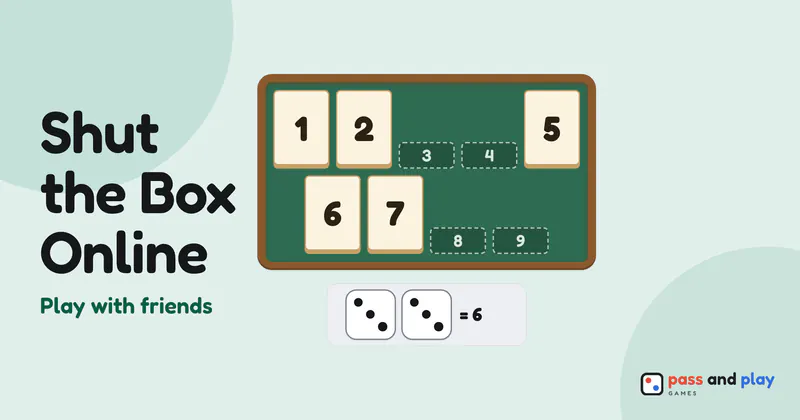
How to play Shut the Box online with friends
Shut the Box multiplayer online is for 2 to 4 players at their own screens. A fresh room has space for two; to bring in a third or fourth, the host adds places with Number of players. Anyone who turns up after that still gets a view of the box as a watcher.
Two settings sit in the lobby. Tiles is 1–9 unless the host picks 1–12, and One die when 7, 8 and 9 are shut is on unless the host switches it off (with 12 tiles it applies once the open tiles add up to 6 or less). Everyone sees both settings before the start. Turns go in seat order from the top of the list, and the host, in seat one, opens the first game.
What everyone sees during a turn
- Your tile picks stay private until you confirm. Tapping tiles only selects them on your own screen. When they add up to the roll and you press Shut tiles, they flip down on every phone at once.
- One way? It plays itself. If only one set of open tiles makes the roll, the bar says “only one way to make” that total and the game shuts those tiles for you.
- The one-die choice is part of the turn. When the rule applies, the roller picks One die or Two dice before throwing, and everyone sees the roll come up as one die or two.
- Live scores in the badges. A player who hasn’t had their turn shows a dash, the player at the box shows the sum of their open tiles as it shrinks, and finished players show their final score.
- The dice wear the roller’s color, so it is always clear whose throw just landed.
Tips for Shut the Box with friends far away
- Rotate who opens. If someone shuts the box, the game ends at once and anyone still waiting doesn’t get a turn; the result lists them as “did not play”. Each rematch moves the first turn to the next seat, so a short series gives everyone a go at opening.
- Play several quick games. A game takes 5 to 10 minutes, so a run of rematches in one room works well over a call, and nobody needs a new link between games.
- Choose the box together. Twelve tiles make for longer turns and bigger totals. Settle it on the call before the host starts; after a game, New setup takes the room back to the lobby, where the host can switch between 9 and 12.
- Gather round a video call. There’s no messaging inside the room, and the last two tiles of a nearly shut box are worth everyone’s attention.
- Family far apart? Grandparents and grandchildren can share one room from different towns, each on their own device. Our post on memory games for seniors has more number and word games that suit mixed ages.
Before you play
The Shut the Box rules explain the tiles, the roll and the scoring, and the Shut the Box strategy tutorial covers the odds of each total and when to roll one die. Solo games, computer opponents and pass-and-play are on the one-device page: play Shut the Box on one device.
Rooms are private and close by themselves after the game; the server keeps a room’s names and moves only while it is open. See the privacy policy for the details.