Ultimate Tic-Tac-Toe on your own devices
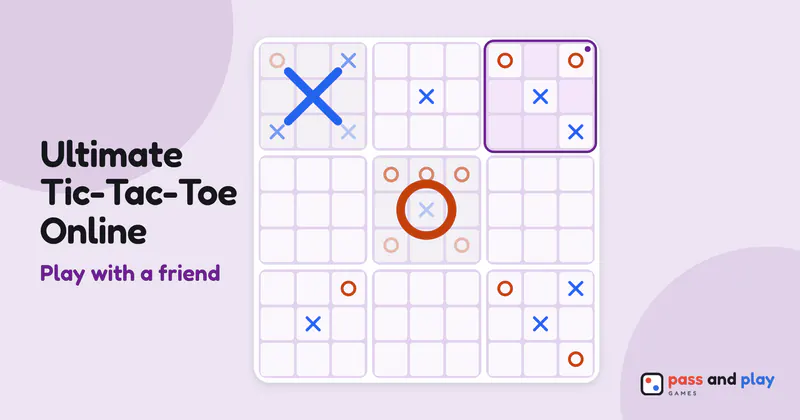
Ultimate tic-tac-toe is nine small boards inside one big one, and the square you play decides which small board your rival must play in next. On separate screens the game shows each player which board is in play, and the server accepts moves only there, so nobody plays in the wrong board by accident. Share a link and play from your own phones or computers.
Free for 2 players, each on your own phone, tablet or computer. Share a link or a 6-character code; nobody needs an account or a download.
How to play ultimate tic-tac-toe online with friends
An ultimate tic-tac-toe room has two seats, X and O. Whoever creates the room plays X, and X always moves first, with the whole big grid open for that first mark. The friend who follows the invite link plays O. Anyone else who opens the link joins as a watcher and sees every move without being able to place a mark.
There are no options to set in the lobby, not even who starts, because X always does. As soon as O’s seat is filled, the host’s button reads Start with 2 players. It is the same game some people call super tic-tac-toe, and online multiplayer here means exactly this: two people, nine small boards, one shared position.
A game on two screens
- Tap twice to place is on by default. In a room, your first tap on a square shows a see-through mark on your screen only. The bar spells the square out, for example “Tap the center square of the top left board again”, and your friend sees nothing until you tap it again or press Place.
- Plenty of time to think. There is no move timer in the room, which matters in a game where every square you choose decides your friend’s next board.
- The won boards fill in on both screens. When a small board is taken, its big mark appears for both players at once, and a board that fills up with no line counts for nobody.
- When your friend drops out. After a few seconds without their connection, a note on your screen says they lost the connection and their seat is kept. If they don’t come back, the host can give their seat to someone watching from the Room button, or end the game there after two minutes.
Tips for ultimate tic-tac-toe with a friend far away
- Use the board names on a call. The room has no chat of its own, so talk it through on a call. The game calls the boards top left, top middle, center and so on, which means “I’m sending you to the center board” reads the same on both screens.
- Give each game 10 to 20 minutes. Ultimate tic-tac-toe runs longer than the classic game, so start one when you both have the time to finish it.
- Restart if a game goes wrong early. If someone misread the rules in the opening moves, the host can tap Restart under the Room button. The seats stay as they were and the score so far is kept.
- Keep the score running. Every rematch counts toward the same score, and Share result in the result dialog turns each game’s result into a picture for your group chat.
Learn the nine boards
The ultimate tic-tac-toe rules explain how each move sends your opponent to a board, and the ultimate tic-tac-toe strategy tutorial covers free moves, the center board and when to give up a small board. To share one screen instead, play ultimate tic-tac-toe on one device. If the nine boards feel like a lot, tic-tac-toe online is the quick classic.
Rooms are private and close by themselves after the game; the server keeps a room’s names and moves only while it is open. See the privacy policy for the details.