Gomoku on your own devices
Gomoku is five in a row on a big grid, and on a small phone screen a mis-tap can hand your rival the game. Online, tap twice to place is on unless you have turned it off: the first tap shows where your stone will go, the second places it. The host picks freestyle or exactly-five rules in the lobby, and the server checks every line.
Free for 2 players, each on your own phone, tablet or computer. Share a link or a 6-character code; nobody needs an account or a download.
How to play gomoku online with friends
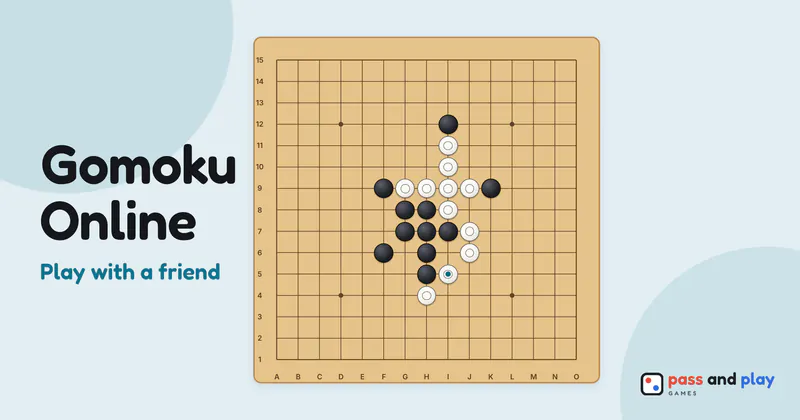
Gomoku online is a 2 player duel: one Black seat, one White seat, and a 15×15 board that is the same in every room. Whoever creates the room plays Black, and Black always places the first stone. Your friend opens the link, gets the White stones, and anyone else who follows the same link can watch the game on their own screen without playing.
The only lobby setting is Rule, with Freestyle selected unless the host picks Exactly five. When both seats are filled the host taps Start. Want to try the other rule later? After any game the host can tap New setup, which takes everyone back to the lobby with the same room code, switch the rule and start again.
Five in a row on two screens
- Your aim stays private. With tap twice to place on, the see-through stone and crosshair from your first tap appear only on your screen. Your friend sees nothing until you tap again or press Place, and then the stone lands on both boards.
- The bar tells you where you are aiming. It names the point in board coordinates, columns A to O from the left and rows 1 to 15 from the bottom, for example “Tap H8 again”, so you can check before you commit.
- No move timer. A gomoku room never hurries you, so you can read every line on the board before you commit a stone.
- Rematch swaps colors. The host’s Rematch gives the other player Black and the first stone, and the series score follows each player to their new color.
Tips for multiplayer gomoku with a friend far away
- Talk in coordinates. H8 is the center point. On a call, “nice block at J10” works the same on both screens, which makes it easy to look back over the game together.
- Pick your input for your device. Tap twice to place is on by default in a room, and on a laptop with a mouse you may prefer one click. Switch it in the More menu; the choice stays on that device for your next game.
- Look back before the rematch. When someone makes five, View board in the result dialog closes it so you can both study the final position and the winning line before the host starts the next game.
- Watch and learn. A friend who is new to gomoku can open the same link and follow a game between two stronger players on their own phone, stone by stone.
- Back after a dropped connection. When your phone wakes up with the tab still open, it reconnects on its own and the board catches up. If the tab closed, open the link again on the same device.
More on the game
The gomoku rules explain freestyle, exactly five and fair opening rules, and the gomoku strategy tutorial teaches open threes, fours and the 4-3 fork. To pass one phone between you or practice against a computer opponent, play gomoku on one device. If you like lining things up on a grid, our pen and paper games list has more.
Rooms are private and close by themselves after the game; the server keeps a room’s names and moves only while it is open. See the privacy policy for the details.