Sea Battle on your own devices
Sea Battle online is the classic hidden-fleet game for two, each player on their own phone, tablet or computer. Start a room and send the link; once your friend joins, you both place your five ships at the same time, on your own screens, where nobody can peek. Tap a cell to put a ship there, turn it, or let Random fleet lay them all out, then press Ready.
When both fleets are ready, you take turns calling shots at the other grid: a miss, a hit, or a ship sunk. Every screen keeps your own grid with your friend’s shots on it next to the grid you are firing at. Our server holds both fleets, so a ship that hasn’t been sunk never reaches the other player’s device. The host chooses whether ships may touch and whether a hit earns an extra shot.
Free for 2 players, each on your own phone, tablet or computer. Share a link or a 6-character code; nobody needs an account or a download.
How to play Sea Battle online with a friend
A Sea Battle room is for two players, each on their own phone, tablet or computer. Create a room, send the link or the 6-character code, and wait for your friend’s name to appear before the host taps Start. There are two choices in the lobby:
- Ships may touch: off by default, so no two ships share a side or even a corner. Turn it on for a tighter, more crowded grid.
- Extra shot after a hit: off by default, so every shot ends your turn. Turn it on and a hit lets you fire again, which makes for a faster game.
A room is always two people. To play the computer, at any of its three levels, use the one-device game.
Both of you place your fleets at the same time
On one device the fleets are placed one after the other, behind a pass screen. Online there is no waiting: as soon as the host taps Start, both of you see your own empty grid and your own dock of five ships, Carrier (5), Cruiser (4), Frigate (3), Submarine (3) and Patrol boat (2). Pick a ship, tap the cell for its top or left end, and press Rotate (or the R key) to turn it. Tap a placed ship to move it. Random fleet lays all five out in one go, following the touching rule.
When your fleet is the way you want it, press Ready. Your screen then says who you are waiting for, and the first shot is fired as soon as both fleets are ready.
Calling the shots
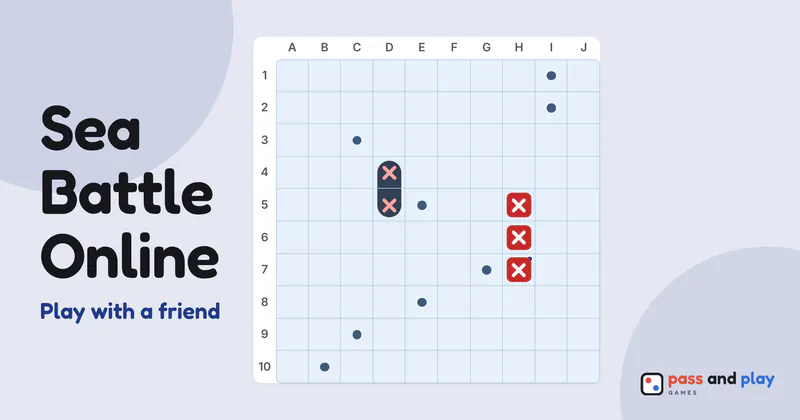
You take turns firing at the other grid. In a room the first tap or click aims and the second fires, so a slip doesn’t waste a shot (you can switch this off under More); with a keyboard, move with the arrow keys and press Enter to fire at once. Every shot is a miss, a hit or, on the last cell of a ship, a sunk ship, and a sunk ship shows its whole outline. Next to the grid you fire at, your own grid shows where your friend has fired, with your ships still afloat counted in the player strip.
Our server keeps both fleets. Your friend’s device receives your ships only once they have been sunk, and which of their shots hit, never a ship that is still hidden, so there is nothing in the page to peek at. Sink every ship of the other fleet to win; then every screen shows both fleets in full, and the host can start a rematch in which the other player fires first.
Tips for Sea Battle against a friend far away
- Hunt with a checkerboard pattern. Every ship covers at least two cells, so firing at every other cell finds them all with half the shots.
- Sink what you hit. After a hit, try the four cells around it, then follow the line once you have two hits in a row.
- Don’t line your fleet up along the edges. Many players hunt the middle first and the edges last, so a fleet spread across the whole grid lasts longer.
- Talk on a call while you play. Calling out “B7!” before you tap it makes it feel like the pencil-and-paper game.
The Sea Battle rules cover the fleet, the touching rule and the variants in full, and the Sea Battle strategy tutorial explains hunting patterns and where to hide your ships. Want to play the computer, or share one device? Play Sea Battle on one device instead.
Rooms are private and close by themselves after the game; the server keeps a room’s names and moves only while it is open. See the privacy policy for the details.