Rock Paper Scissors on your own devices
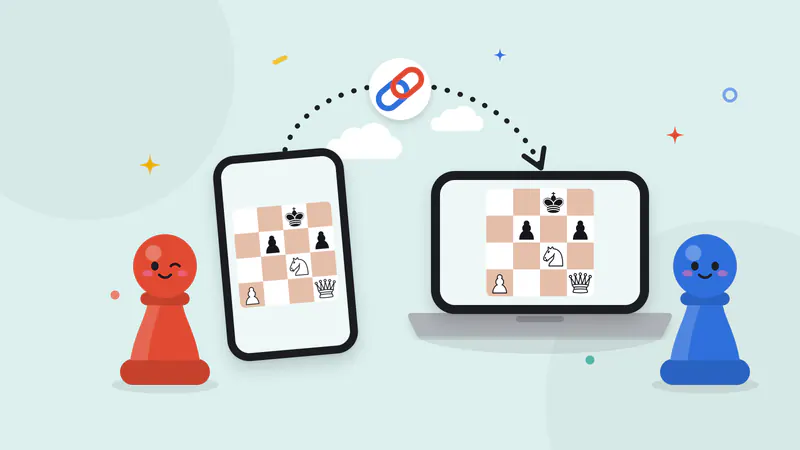
Rock paper scissors online is the quickest game to settle something with a friend who isn’t in the room. Start a room, send the link, and you each pick on your own phone at the same moment. Neither of you can see the other’s choice until both are in, then a quick “rock, paper, scissors” count plays and both hands are shown together, with the rule that decided the round in plain words.
The host picks a series of 3, 5 or 7 rounds, or Endless with a running score, whether ties are replayed or count as a round, and the classic three gestures or five, with lizard and Spock. The next round starts by itself a few seconds after each reveal, so a series moves fast, and a rematch starts a fresh series in the same room.
Free for 2 players, each on your own phone, tablet or computer. Share a link or a 6-character code; nobody needs an account or a download.
How to play rock paper scissors online with a friend
A rock paper scissors room is for two players, each on their own phone, tablet or computer. Create a room, send the link or the 6-character code, and wait for your friend’s name to appear before the host taps Start. The host sets the game up in the lobby, and both screens see the choices as they change:
- Series: 3, 5 or 7 rounds; whoever wins most of them takes it.
- Gestures: Classic (rock, paper, scissors) or Five gestures, with lizard and Spock.
- Ties (under More options): Replay, where a tie doesn’t count, or Count as a round.
- Endless (More options): no series, a running score, and End when you are done.
A room is always two people. To play the computer, which learns your habits at three levels, use the one-device game.
Both of you pick at the same moment
On one phone the picks take turns behind a pass screen, and the first pick waits sealed while the phone changes hands. Online nobody waits for anybody: as soon as a round starts, both screens show the gesture pad, and each of you taps a hand, or presses R, P or S (L and K for lizard and Spock, or 1 to 5). Your pad keeps your pick marked and says “You picked rock. Waiting for Ben…”, while your friend’s screen shows only that you have picked.
Our server keeps each pick sealed until both are in. Your friend’s phone never receives your gesture before the reveal, not even hidden in the page, so there is no peeking and no waiting to see what the other one chose.
The reveal and the series
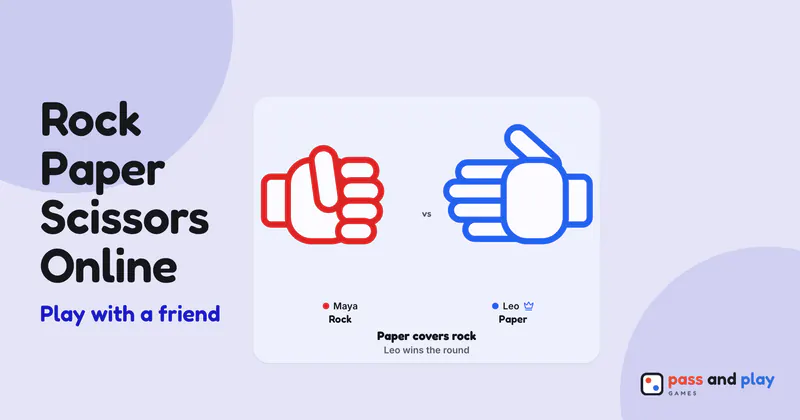
When the second pick arrives, both screens play a quick “Rock… paper… scissors…” count and show the two hands facing each other, with the rule that decided the round in plain words, “Paper covers rock” or “Spock smashes scissors”, and who won it. With reduced motion turned on, the hands show at once. A few seconds later the next round starts by itself on both screens, so even a seven-round series takes only a couple of minutes.
The player strip keeps the score: a pip for every round won in a series, or the running total in Endless. In a series, the first to win most of the rounds takes it; with ties counted, the series can also end level. In Endless, either player can tap End between rounds. A rematch starts a fresh series in the same room.
Tips for rock paper scissors with a friend far away
- Watch for a pattern. Many people play the hand that would have beaten their last one, or stick with a winning hand. The tips explain the common habits.
- Try five gestures for longer rounds. With lizard and Spock, each hand beats two and loses to two, and ties come up less often.
- Settle something properly. Agree on a series of 5 or 7 before you start, so nobody asks for one more round after losing the first.
- Count down on the call. Saying “rock, paper, scissors” out loud before you both tap keeps the old playground feel.
The rock paper scissors rules cover both gesture sets, ties and the series in full. Want to play the computer, or share one phone? Play Rock Paper Scissors on one device instead.
Rooms are private and close by themselves after the game; the server keeps a room’s names and moves only while it is open. See the privacy policy for the details.