Code Breaker on your own devices
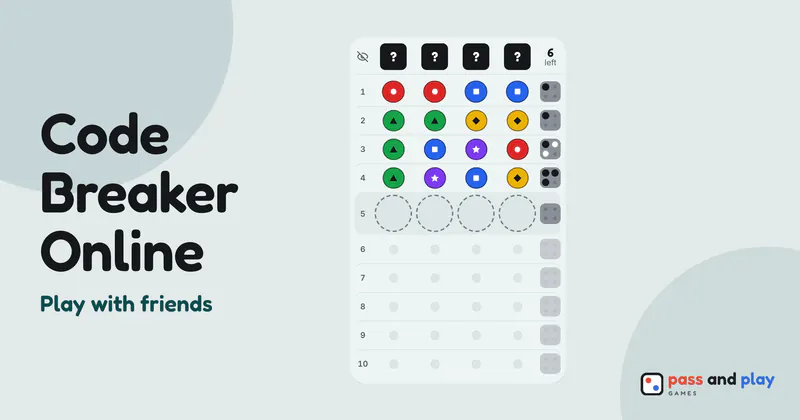
Code Breaker online is the colour-peg deduction game for two to four people, each on their own phone or computer. One player sets a secret code on their own screen, and only their screen ever shows it. The others take turns guessing, and after every guess the key pegs say how close it came: a black peg for a right colour in the right place, a white peg for a right colour in the wrong place.
The host picks the code: 4 pegs from 6 colours, 5 from 8, or 4 different digits with bulls and cows. Repeated colours can be switched off, and the breakers get 10 or 12 guesses. Crack the code in time and the breakers win the round; run out and the setter does. Every rematch passes the job of setting the code to the next player, and the rounds won are counted for the room.
Free for 2–4 players, each on your own phone, tablet or computer. Share a link or a 6-character code; nobody needs an account or a download.
How to play Code Breaker online with friends
A Code Breaker room is for two to four people, each on their own phone, tablet or computer. Create a room, send the link or the 6-character code, and wait until every name has appeared before the host taps Start. One player sets the code and everyone else breaks it together, taking turns. The host chooses in the lobby:
- Code: 4 pegs from 6 colours, 5 pegs from 8 colours, or 4 different digits, the bulls and cows version.
- Repeated colours: on by default, so a colour can appear more than once in the code. Turn it off for a code of all different colours.
- Guesses: 10 or 12 before the code holds.
In a room a person always sets the code. To crack a code chosen by the computer, on your own, use the one-device game.
Setting the code on your own device
The first player sets the first code, and each rematch passes the job to the next person. The setter taps a colour (or a digit) for each hole, or Random for a code chosen for them, and then Set the code. While they choose, the other screens say who is setting it. Once it is set, the setter’s own screen keeps showing the code above the guesses, so they can watch the others close in on it.
Our server keeps the code. The breakers’ devices get the guesses and their key pegs, never the code itself, so there is nothing hidden in the page to peek at until the round is over.
Taking turns at the guesses
The breakers guess in turn, each on their own device. Fill the holes by tapping colours or typing their numbers (digits for the digit code), fix a mistake with Backspace, then Check. Every screen shows the same rows: each guess with its key pegs, and the guesses left. A black peg is a right colour in the right place, a white peg a right colour in the wrong place; with digits they are bulls and cows. The order of the key pegs never says which hole they belong to, so the deduction is yours.
A guess has to fill every hole, and the same guess can’t be tried twice, so no turn is wasted by accident. Crack the code within the guesses and every breaker wins the round. Run out, and the setter wins. Either way, every screen then shows the code, and the room keeps count of the rounds won.
Tips for Code Breaker with friends far away
- Talk about the last pegs before you guess. With three breakers, saying what each guess ruled out keeps the next one useful.
- Use the first guesses to find the colours. Two colours, two pegs each, tells you a lot about which colours are in at all.
- Set a fair code for a first game. A code with repeated colours is much harder to crack; turn Repeated colours off for new players.
- Digits for a quick round. Bulls and cows with four different digits is a classic you can play in a few minutes.
The Code Breaker rules explain the key pegs, the three codes and the scoring in full, and the Code Breaker strategy tutorial shows how to choose guesses that narrow the code down fast. Want to crack the computer’s code, or share one device? Play Code Breaker on one device instead.
Rooms are private and close by themselves after the game; the server keeps a room’s names and moves only while it is open. See the privacy policy for the details.