Never Have I Ever on your own devices
Never Have I Ever online puts the same card on every screen, so a group on a video call reads along together. Start a room and share the link; each turn one player reads the card out, and everyone who has done it puts a finger down. Ten fingers each (or five), and the last person with fingers up wins.
Answer out loud, with the reader tapping the names of everyone who has, or in secret: each player taps “I have” or “I haven’t” on their own phone at the same moment, and nobody’s answer shows until all are in. The host picks the decks, from family-friendly to friends and work, the rounds, the skips and the fingers each.
Free for 3–12 players, each on your own phone, tablet or computer. Share a link or a 6-character code; nobody needs an account or a download.
How to play Never Have I Ever online with friends
A Never Have I Ever room is a party room for three to twelve players, each on their own phone, tablet or computer. Everyone who opens the link before the host taps Start gets a place. The host sets the game up in the lobby, and every screen sees the choices as they change:
- Answers: Out loud, where the reader taps the names of everyone who has done it, or Secret, where everyone answers on their own phone.
- Decks: any mix of Kids (6–12), Family, Friends (teens+) and Work.
- Rounds and skips (under More options): 10 or 20 rounds, or Endless; one skip each, none, or as many as you like.
- Fingers (More options): ten each, or five for a quicker game.
A room plays the built-in decks. Prompts you have saved on your own phone stay on the one-device game.
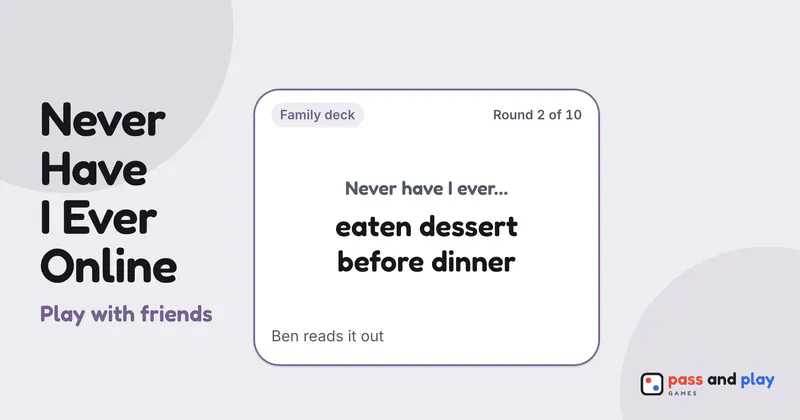
The same card on every screen
Each round has a reader, and the job moves one place along every round. Every screen shows the same card, “Never have I ever… eaten ice cream for breakfast”, and the reader says it out loud on the call or across the room. The reader can skip a card they’d rather not read, as many times as the skip setting allows.
Out loud, the group answers by talking, and the reader taps the name of everyone who has done it, or Nobody has, then Confirm. Everyone who has puts a finger down, and every screen shows the fingers left in the player strip.
Secret answers, all at once
In Secret mode, the reader taps Answer in secret and every phone shows two buttons, I have and I haven’t, at the same moment. Tap yours, or press H or N. Your screen then shows who the room is still waiting for, and nothing else: our server keeps each answer to itself until the last one is in, and the other phones only learn that you have answered.
When everyone has answered, every screen shows who has done it and takes a finger from each of them. A player with no fingers left is out of fingers but keeps playing along, so nobody sits out. The game ends after the rounds, on End game, or when only one player has fingers up; the results show everyone’s fingers and a few titles, like the most innocent player and the most adventurous one.
Tips for Never Have I Ever on a call
- Pick Secret for a new group. Answering on your own phone takes the pressure off, and the reveal is still a surprise.
- Pick the deck for the room. Kids and Family keep it light; Friends is for teens and up; Work is safe for colleagues.
- Let the reader add the story. After the reveal, ask one person who put a finger down to tell the story in one sentence.
- Five fingers for a short game. With a big group on a call, five fingers each keeps the game to about twenty minutes.
The Never Have I Ever rules cover reading, skips, fingers and the end of the game in full, and the hosting tips help you pick prompts and keep a group laughing. All around one phone? Play Never Have I Ever on one phone instead.
Rooms are private and close by themselves after the game; the server keeps a room’s names and moves only while it is open. See the privacy policy for the details.