Most Likely To on your own devices
Most Likely To online puts each question on every screen at once: who is most likely to forget their own birthday, or to win a talent show? Start a room and share the link; one player reads the question, and the group picks a person. Each round the person with the most votes takes the title and a point.
Play it the friendly way, with everyone pointing on the call and the reader tapping the winner, or the bold way, with a secret vote: each player picks a name on their own phone at the same moment, and only the totals are shown, never who voted for whom. The host picks the decks, the rounds, the skips and whether you may vote for yourself.
Free for 3–12 players, each on your own phone, tablet or computer. Share a link or a 6-character code; nobody needs an account or a download.
How to play Most Likely To online with friends
A Most Likely To room is a party room for three to twelve players, each on their own phone, tablet or computer. Everyone who opens the link before the host taps Start gets a place. The host sets the game up in the lobby, and every screen sees the choices as they change:
- Voting: Everyone points, where the group points on the call and the reader taps the winner, or Secret vote, where everyone votes on their own phone.
- Decks: any mix of Kids (6–12), Family, Friends (teens+), Work and Classroom.
- Rounds and skips (under More options): 10 or 20 rounds, or Endless; one skip each, none, or as many as you like.
- Self-votes (More options): on by default; switch them off so everyone has to pick someone else.
Online, the questions are the built-in ones. Your own saved questions are for the one-phone game.
The same question on every screen
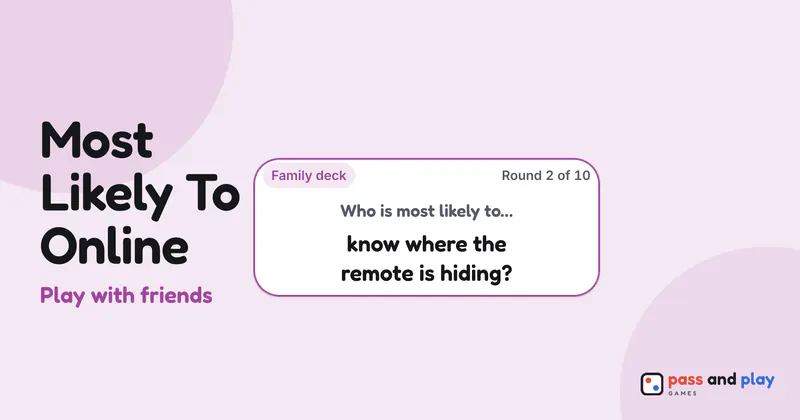
Each round has a reader, and the job moves one place along every round. Every screen shows the same question, “Who is most likely to forget their own birthday?”, and the reader says it out loud. The reader can skip a question that doesn’t fit the group, as the skip setting allows.
With Everyone points, the group points at the camera on three, the reader taps the person most pointed at (or nobody), and every screen shows who takes the title.
The secret vote
With a secret vote, the reader taps Start the secret vote and every phone shows the list of players at the same moment. Pick a name and confirm, or use the number keys. Your screen then shows who the room is still waiting for. Our server keeps every vote to itself: when the last one is in, every screen shows only the totals, how many votes each person got, and never who voted for whom, not even at the end of the game.
The person with the most votes takes the round’s title and a point, and a tie shares it. After the last round, the results list the titles each person collected and the player with the most points wins.
Tips for Most Likely To on a call
- Keep it kind. The decks are written to tease, not to hurt; skip a question if it lands too close to home.
- Pick the deck for the room. Kids, Family and Classroom keep it light; Friends is for teens and up; Work is safe for colleagues.
- Use the secret vote for the spicy ones. Nobody has to point at a friend on camera, and only the totals are shown.
- Ask the winner to defend the title. A one-line defence after each reveal keeps everyone laughing.
The Most Likely To rules cover reading, voting, ties and points in full, and the hosting tips help you pick questions for any group. Everyone in one place? Play Most Likely To on one phone instead.
Rooms are private and close by themselves after the game; the server keeps a room’s names and moves only while it is open. See the privacy policy for the details.