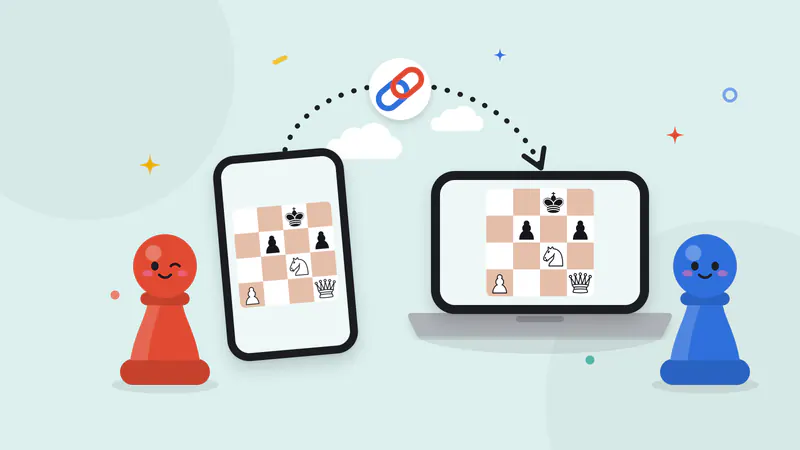
Tambola on your own devices
Open a room and send its link or six-letter code to the group: nobody needs an account, just a name. Up to 50 people join, and each one gets a ticket of their own on their own phone, where a tap marks a number. The host is the caller. They call each number with a tap, or let the calls come by themselves every 5, 10 or 15 seconds, so the game keeps going even when their phone goes to sleep, and they can pause it at any time.
Each phone has a button for every claim: Early five, the three lines, Four corners and Full House. Our server checks a claim against the numbers called so far and everyone sees the result. A wrong claim is a bogey, and that ticket cannot make the same claim again. People who are not in the room can still play on printed tickets, and the host claims for them by ticket number.
Free for 2–50 players, each on your own phone, tablet or computer. Share a link or a 6-character code; nobody needs an account or a download.
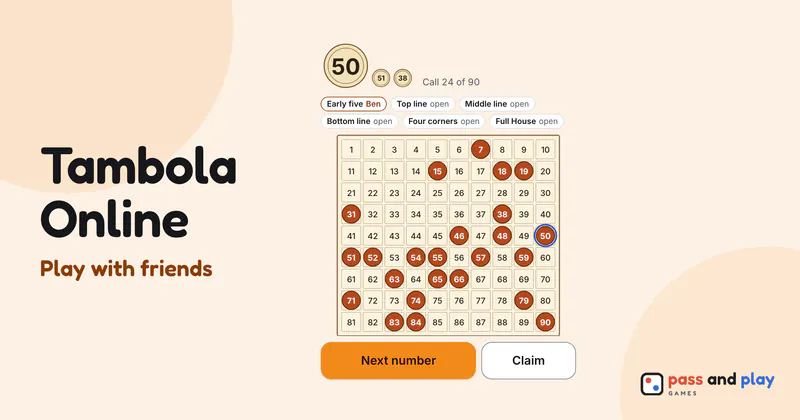
How to play tambola online with friends
A tambola room is made for a group that can’t sit in one hall: a family spread over several cities, an office with half the team at home, a group of friends on a Sunday call. One person opens the room on this page and becomes the caller. Everyone else follows the link, or types the code, adds a name and waits in the lobby. Up to 50 people can play in one room, and the caller holds a ticket of their own like everyone else.
Before Start, the caller sets the game up in the lobby:
- Claims: all six (Early five, the three lines, Four corners and Full House), or Lines and Full House only.
- Call numbers: When I tap, or every 5, 10 or 15 seconds.
- Full House winners (under More options): one, or two.
- Extra tickets (under More options): printed tickets for people who are not in the room, a strip of six at a time.
When the caller taps Start, every phone gets its own ticket. Nobody has to print, send or hand out anything.
What the caller does
The caller’s screen is the one from the game on one device: the number just called, the two before it, and the board of all ninety. With When I tap, each number waits for the caller’s Next number. With an interval, the numbers come by themselves, so the caller can watch their own ticket. They keep coming if the caller’s phone goes to sleep, and the caller can Pause and Resume. The voice speaks the numbers on the caller’s phone; everyone else has it off at first and can switch it on.
If the room has extra tickets, the caller also claims for them, by ticket number, and can print them from the menu. That is how a grandparent without a phone, or a table of colleagues sharing one printed strip, can play alongside everyone else.
What a player does
A player’s screen is mostly their ticket, drawn large, with the latest number above it. Tap a number to mark it. Marks stay on your own phone and are only for you: when you claim, your ticket is checked against the numbers called, so a missed mark never costs you a claim and a wrong mark never wins one. The full board of called numbers sits under a fold, for anyone who looked away.
Under the ticket there is a button for each claim. Tap one when your ticket has it, and the answer comes back to your phone with your ticket drawn and its called numbers marked. Everyone else sees a short notice saying who claimed what. A button switches off once your ticket has tried that claim, or once the claim was won on an earlier number.
Nobody can claim for another player, and nobody has to shout over the top of anyone. Two people who complete the same claim on the same number share it, whoever taps first.
Joining late, leaving early, and the end
Someone who opens the link after Start watches the game in progress, with the board and the claims but no ticket, and gets a ticket in the next game. A player who leaves is out, and the game goes on for everyone else.
When the last claim is won, the calling stops and the game ends by itself 20 seconds later; a claim on that same number in those seconds still shares the win. Each new game in the room deals fresh tickets; a room with printed extra tickets keeps its sheet instead, so the printed ones stay good and every player keeps their ticket.
Tips for a tambola room
- Pick an interval for a big room. Every 10 or 15 seconds gives people on slow connections time to mark, and frees the caller to play.
- Send the link early. Everyone who arrives before Start gets a ticket; anyone later waits for the next game.
- Keep a call open beside the room if you want to hear each other’s cheers.
- Print extra tickets only for people who aren’t on a phone.
The tambola rules explain every claim, shared claims and bogeys, and the guide to hosting a tambola night covers pace and big groups. All in one hall with one phone and printed tickets? Play Tambola on one phone instead.
Rooms are private and close by themselves after the game; the server keeps a room’s names and moves only while it is open. See the privacy policy for the details.