Charades on your own devices
Charades online suits a group on a video call: start a room, send the link, and each player joins on their own phone, tablet or computer. Every turn one player is up. In Acting, only their screen shows the word, and they act it out on camera without a sound while everyone else calls out guesses. The host picks the mode, the decks, the round time and how many rounds each player gets.
Forehead turns it around: the player whose turn it is guesses, and every screen except theirs shows the word, so the rest of the group describes it, hums it or mimes it without saying it and taps Correct when they get it. Our server keeps the clock, so every screen shows the same countdown and the round ends for all of you at once. The player whose turn it was scores each word marked Correct, and a rematch deals fresh words.
Free for 2–12 players, each on your own phone, tablet or computer. Share a link or a 6-character code; nobody needs an account or a download.
How to play charades online with friends
A charades room is a party room for two to twelve players, each on their own device. Everyone who opens the link before the host taps Start gets a place, and every player takes a turn in seat order, as many times as the host chooses. Online, everyone plays for themselves: there are no teams in a room. The host sets the game up in the lobby, and every screen sees the choices as they change:
- Mode: Acting, where the player whose turn it is acts out the word, or Forehead, where they guess it.
- Decks: any mix of the ten built-in decks, from Animals and Food to Things that move and an easy deck for kids.
- Round time (under More options): 30, 60 or 90 seconds.
- Rounds each (More options): one to five turns for every player.
A room plays the built-in decks. Word lists saved on your own phone stay on the one-device game.
Acting: only the actor sees the word
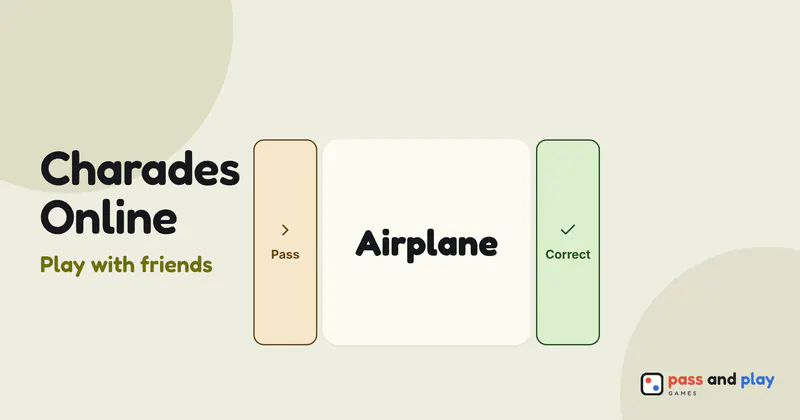
At the start of a turn, every screen shows whose turn it is. That player taps Start round on their own device, gets a 3-2-1 count, and then sees the word in big letters with Correct and Pass buttons. Nobody else’s screen shows it, not even hidden in the page: our server sends the word to the actor’s device alone. The actor mimes it on camera or in the room without a sound, the others shout their guesses, and the actor taps Correct the moment someone says it, or Pass to skip to the next word.
If the player doesn’t tap Start within 30 seconds, the round starts by itself, so a group never waits on someone who stepped away.
Forehead: everyone sees the word except the guesser
Forehead is the guessing version, turned round for a call. The player whose turn it is sees a card that says only “What’s the word?” and a Pass button. Every other screen shows the word with Correct and Pass, so the rest of the group describes it, hums it or acts it without saying it, and whoever hears the right answer first taps Correct. Two people tapping at the same moment count it once.
The clock and the scores
Our server keeps the time. Every screen shows the same countdown, a phone that goes to sleep or a page that reloads picks it up where it is, and the round ends for everyone at once when it reaches zero. Then every screen lists the round’s words. Anyone can tap a word to fix a mistake, a pass marked as correct or the other way round, before confirming. The player whose turn it was scores one point for each word marked Correct, passing costs nothing, and after the last turn everyone sees the final scores with shared places for a tie. A rematch deals fresh words to the same room.
Tips for charades on a video call
- Frame your whole body when you act. Step back from the camera so your hands and feet are in view, and keep the phone with the word out of shot.
- Mute what you don’t need. In Acting, the actor stays silent anyway; in Forehead, one clear voice at a time helps the guesser.
- Pick 90 seconds for a slow connection. A video that lags a second or two eats into a 30-second round.
- Easy for kids and Animals for younger players. Words they can picture keep every turn moving.
The charades rules cover both modes, passing and scoring in full, and the charades tips help actors act faster and guessers think wider. Everyone around one phone, or playing in teams? Play Charades on one device instead.
Rooms are private and close by themselves after the game; the server keeps a room’s names and moves only while it is open. See the privacy policy for the details.