Liar's Dice on your own devices
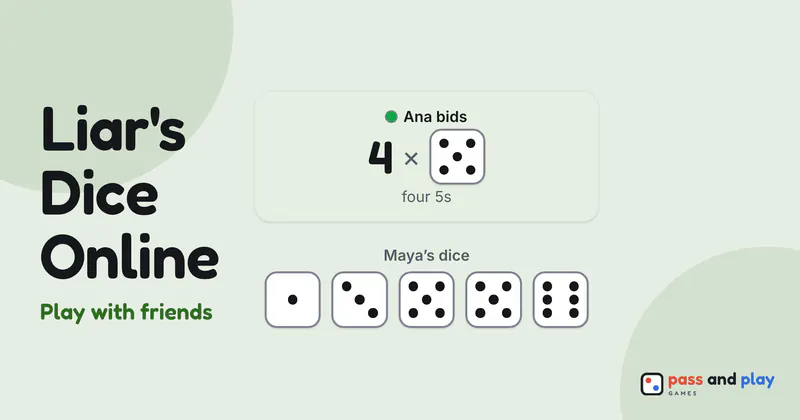
Liar's Dice online gives every player a cup of their own: a room for two to six people, each on a phone, tablet or computer. Start a room and share the link, and everyone who joins takes a seat. Each round all the dice are rolled at once, every screen shows only its owner's dice, and the bidding goes round the table: how many dice of one face are there under all the cups?
Raise the bid or call “Liar!”. A call turns every cup over on every screen and counts the dice; whoever was wrong gives up a die and opens the next round. Our server holds every cup, so nobody else’s dice reach your phone before the call, and the next roll can’t be worked out in advance. The host picks three, four or five dice each and whether 1s are wild.
Free for 2–6 players, each on your own phone, tablet or computer. Share a link or a 6-character code; nobody needs an account or a download.
How to play Liar’s Dice online with friends
A Liar’s Dice room is for two to six people, each on their own phone, tablet or computer. Create a room, send the link or the 6-character code, and everyone who opens it takes the next free seat. When the names are all there, the host taps Start. The host sets the table up in the lobby, and every screen sees the choices as they change:
- Dice each: 5 for the classic game, or 4 or 3 for a quicker one.
- Wild ones: on by default, so a 1 counts as whatever face is bid and nobody bids on 1s. Turn it off and a 1 is simply the lowest face.
- First player: who opens the first round. Each rematch passes the opening bid along.
A room is people only. To bluff against computer players at three levels, or to share one phone, use the one-device game.
Your cup, on your own screen
Every round all the dice are rolled at once, and each screen shows only its owner’s dice under “Your dice”. Everyone else’s cups stay closed: the screen shows how many dice each player has left, never what they rolled. There is no phone to pass and no pass screen to wait behind, so a round moves as quickly as the table can talk.
Our server rolls the dice and keeps every cup. Another player’s dice are never sent to your device before someone calls Liar, not even hidden in the page, and the roll for the next round is never sent at all, so it can’t be worked out in advance.
Bidding, calling and the reveal
The bidding goes round the table in seat order, each player on their own device. On your turn, set how many dice with the stepper, tap a face and press Bid, or press Liar! to challenge the bid before yours. A new bid must be higher: more dice of any face, or the same number of dice with a higher face. Every screen shows the bid to beat in large type and the round’s earlier bids beneath it.
When someone calls Liar, every cup turns over on every screen. The dice that count toward the bid are ringed and ticked, with 1s counted when they are wild, and the result is spelled out: whether the bid stands, and who loses a die. Whoever lost the die opens the next round and taps Next round on their own screen when the table has seen enough; the others see who will start. A player with no dice left is out and keeps watching, and the last player with dice wins.
Tips for Liar’s Dice with friends far away
- Count your own dice first. With 1s wild, roughly a third of everyone else’s dice match any face, so add that to what you hold before you raise or call.
- Talk it up. A bid sounds more convincing out loud, and a long pause before “Liar!” is half the fun.
- Try three dice each for a short game when time is tight, or with players who are new to bluffing.
- Mind the totals. The number of dice in play is always on screen: as players lose dice, the same bid gets riskier.
The Liar’s Dice rules cover bids, wild ones and the reveal in full, and the Liar’s Dice strategy tutorial explains the odds behind a good bid and when to call. Want computer players, or to pass one phone round the table? Play Liar’s Dice on one device instead.
Rooms are private and close by themselves after the game; the server keeps a room’s names and moves only while it is open. See the privacy policy for the details.