8 Ball Pool on your own devices
Open a room, send the link or the 6-character code, and play 8 ball pool with a friend on two phones, or with four people in two teams, each on their own phone, tablet or computer. Nobody needs an account. The host picks the room’s options in the lobby: one frame or a match of up to five frames, the aim guide, any pocket or a called pocket for the 8 ball, and whether the breaks take turns or go to the winner.
When it is your turn, the power bar and the cue stick appear on your screen only: aim, pull back and let go. Our server plays the shot with the same rules as our one-device pool, and every screen replays it from the same table, so the balls run the same way for everyone. The others first see where you aimed, then the balls roll. After a foul, the next player puts the cue ball wherever they like on their own screen before they shoot.
Free for 2 or 4 players, each on your own phone, tablet or computer. Share a link or a 6-character code; nobody needs an account or a download.
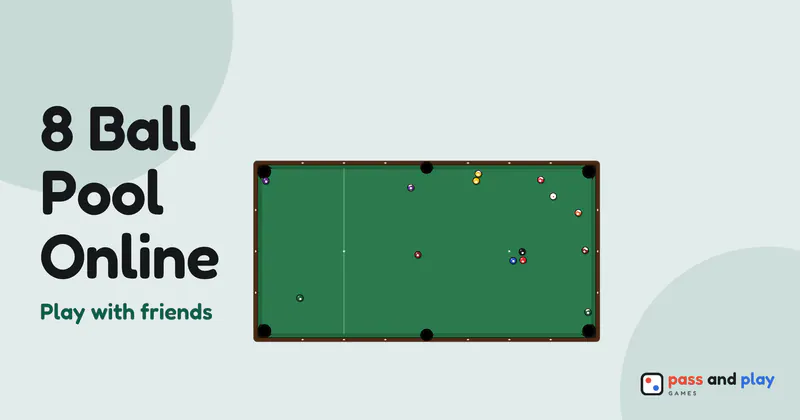
How to play 8 ball pool online with friends
A room is a private pool table for two people, or for four in two teams. The host opens it and shares the link or the code, and each friend who opens it takes a seat with just a name. In the lobby the host sets the table: one frame or a longer match, the aim guide on or off, any pocket for the 8 ball or a called pocket, and whether the breaks take turns or go to the winner of the last frame. With four players, the seats alternate between the teams, so partners never shoot one after the other. Once every seat has a name, the host taps Start and the player in the first seat breaks.
Anyone who opens the link after the seats are full watches the game instead. A watcher sees every shot play out and every ball drop, but has no cue.
A shot on several screens
Only the player whose turn it is gets the cue. The power bar beside the table and the cue stick behind the cue ball appear on that screen alone; everyone else sees the table and whose turn it is. Aim by dragging on the table, then pull the power bar down, or the cue ball or the stick back, and let go. Your friends first see the line you aimed along, for a moment, and then the balls roll on their screens just as they rolled on yours.
That works because a shot is sent as one thing: its direction and its power. Our server plays it with the same rules and the same table as our one-device pool, and every phone replays it from the table as it stood, the shooter’s phone included. So a ball that drops in one corner drops in that corner on every screen, and the next player starts from exactly the position everyone else sees.
Ball in hand works the same way. After a foul, the next player drags the cue ball to any free spot on their own screen, sets it with Place, and shoots. The others see where it went when the shot is played. When the 8 ball has to be called, the shooter taps a pocket and the call shows on every screen before the shot.
Tips for a game of pool far apart
- Choose your controls. How you aim and pull is a setting of each phone, under Controls in the More menu, so you and your friend can each play the way you like.
- Turn the phone, or use a laptop. The table stands upright on a phone held upright and lies flat on a wide screen. A tablet or laptop gives the balls more room.
- Take your time. There is no shot clock, so a long look at an awkward angle is fine.
- Concede from your own phone. Concede in the More menu ends the frame, or the match, for your side only.
The 8 ball pool rules cover the break, fouls and the 8 ball, and the 8 ball pool tutorial shows how to aim with the ghost ball and judge the power. To play with someone beside you on one screen, or against the computer, play 8 Ball Pool on one device.
Rooms are private and close by themselves after the game; the server keeps a room’s names and moves only while it is open. See the privacy policy for the details.